Table of Contents
Gogs makes it pretty easy to mirror another repository. Github… doesn’t. While it’d just be easier to move my Gogs repository to Github, that would mean changing the remote of 3-4 local repositories. And, I wouldn’t learn anything.
Hooks, glorious hooks
Since Github won’t watch our Gogs repository, we’ll have our Gogs repository watch itself. If anything changes, we’ll let Github know with a hook. A hook is just a series of events, triggered by another event.
In our case, the triggering event will be pushing to the repo. The events that occur will be pushing to Github.
From your Gogs repository, click on Settings, then Git Hooks.
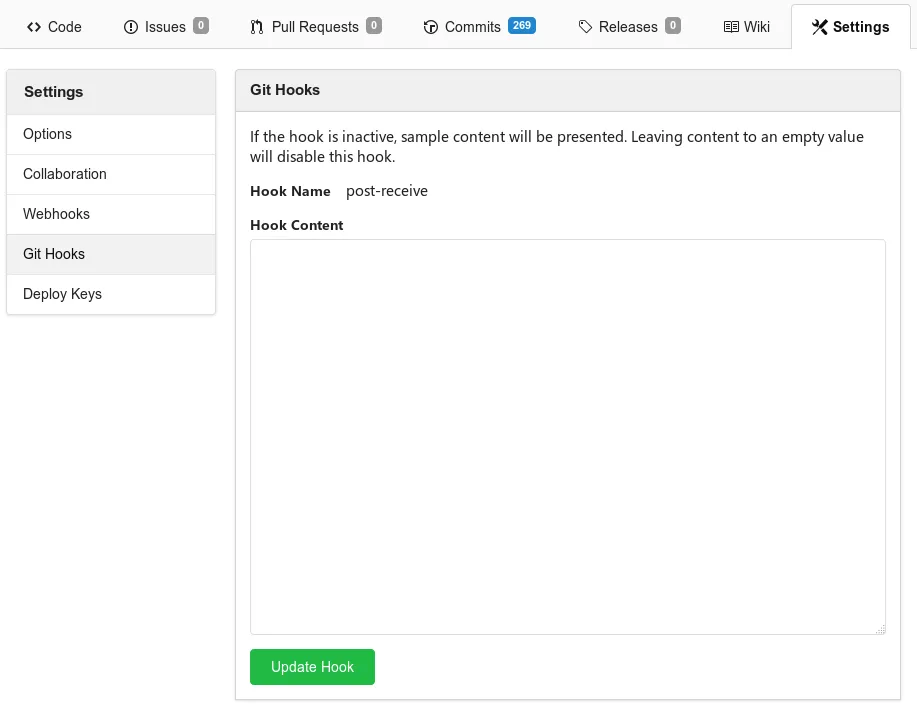
In the available text box, we can enter the bash script we’d like to execute:
#!/bin/bash
Replace your Github username and repository name, respectively.
To make this hook work, we’ll need to grant Gogs the ability to push into your repository. From Github, click on your picture at the top right, and go to Settings, then SSH and GPG keys.
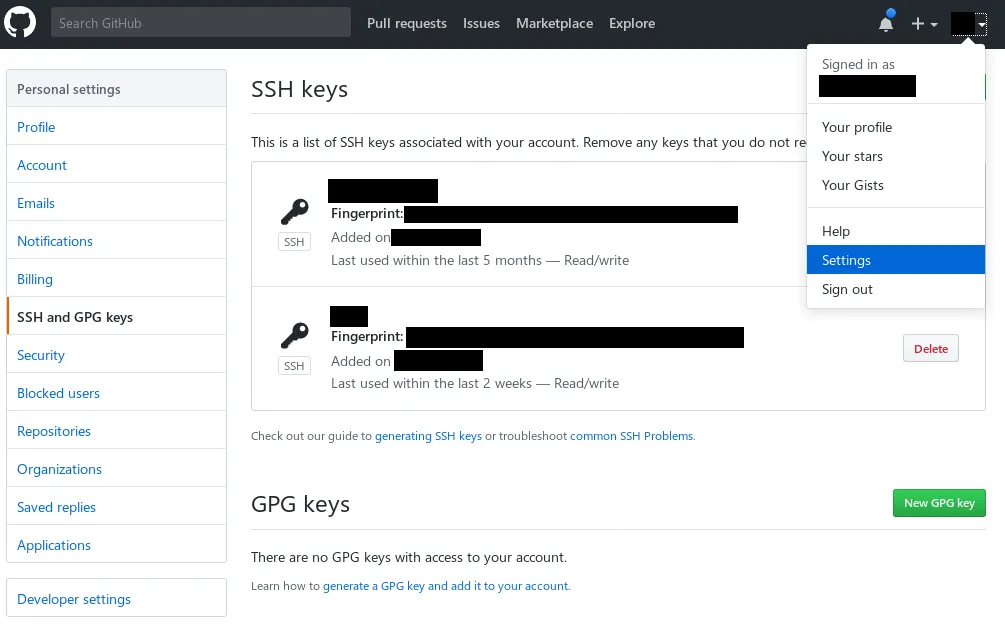
Here you can view and edit SSH and GPG keys linked to your Github account. If you don’t have any, or need to create a new one for Gogs (which you should), follow Github’s guide to generating and adding an SSH key.
If you substitute the user running the Gogs repository in the above guide, you should be good to go! That user should be able to access your Github account, and push updates as it receives them.
(Optional) Getting this to work in a Gogs Docker container
OpenSSH
Newer (as of 2026) gogs images ship without OpenSSH, instead baking a simple SSH implementation into the binary for cloning. To mirror, we’ll need to add openssh back.
FROM gogs/gogs:next-0.14.1USER rootRUN apk --no-cache --no-progress --logfile=no add opensshUSER git:gitIdentity file detection
You may have issues with starting ssh-agent, or keeping it running in your
container. If that’s the case, you can add this config to your ~/.ssh/config
file as a workaround:
Host github.com IdentityFile ~/.ssh/github_rsa IdentitiesOnly yesEven if ssh-agent isn’t running, git should read this information, and use
the appropriate key when pushing to Github.